Pick your level.
Move from A1 to C2 with bundled vocabulary lists that scale from everyday words to advanced expressions.
 EngDeck
Native vocabulary cards for macOS
EngDeck turns everyday English into clean, focused cards with CEFR levels, saved words, shuffle mode, and pronunciation playback.
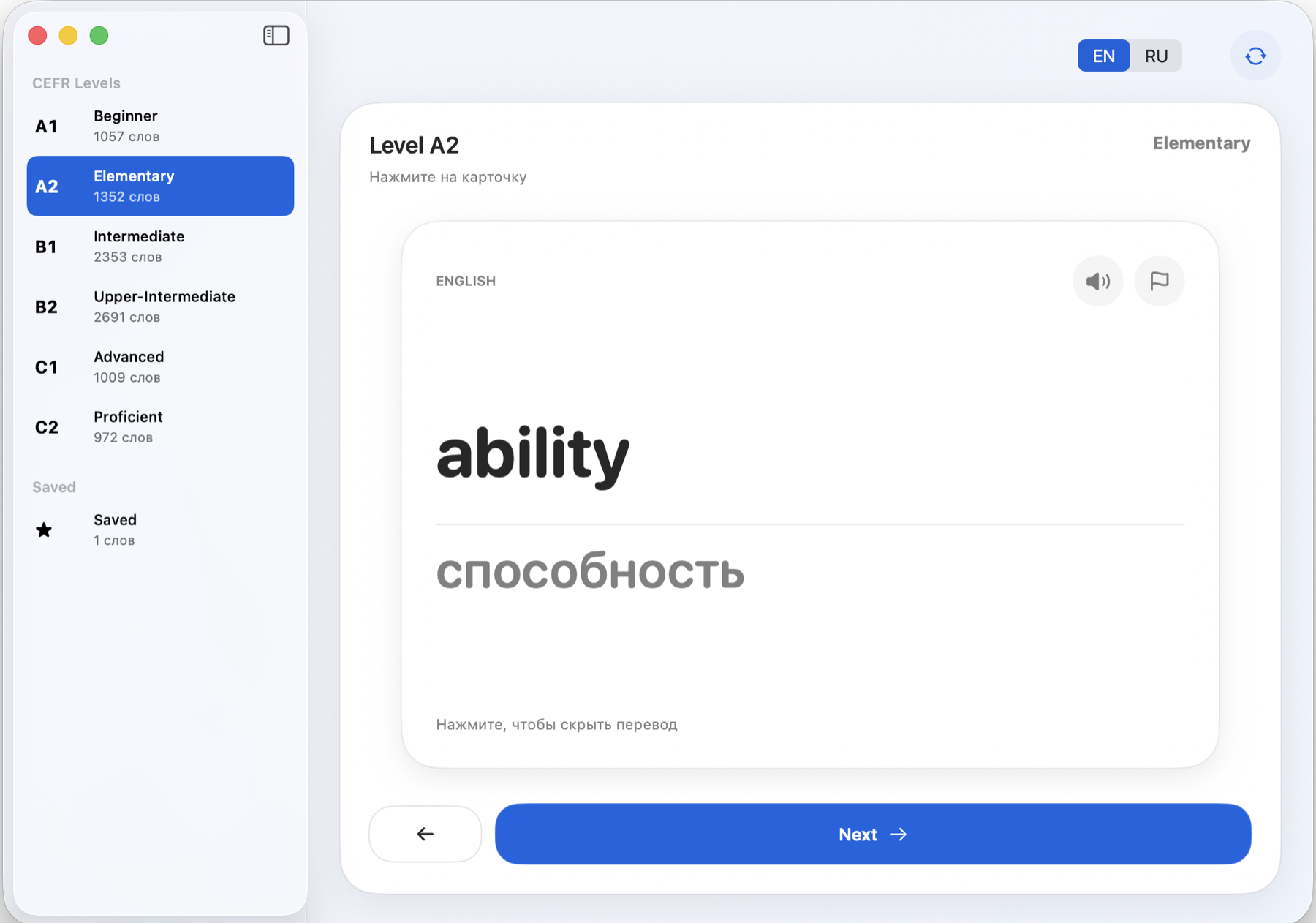
EngDeck keeps the interface quiet: levels on the left, one focused card on the right, and the actions you need exactly where your hand expects them.
Move from A1 to C2 with bundled vocabulary lists that scale from everyday words to advanced expressions.
Tap the card to bring the Russian meaning into view while keeping the original word visible for recall.
Flag hard words, shuffle the deck, switch EN/RU direction, and listen to pronunciation without leaving the card.
Download the polished DMG, drag EngDeck into Applications, and start learning from the first card.
Download for macOS